Video Player All Format HD
- 4.4
- Rating
- 50.00M
- Installs
- Free
- Price

 Analysis by App-foxy
I usually judge a video player by what happens after the first tap: can I open a file without a struggle, keep watching when I leave the app, cast without confusion, and control subtitles without hunting through menus? Video Player All Format HD is aimed squarely at those everyday needs. It is a free video player in the Video Players & Editors category, developed by Video Player & Cast to TV, and its focus is local playback, larger-screen viewing, and flexible watching rather than editing clips or building a media library.
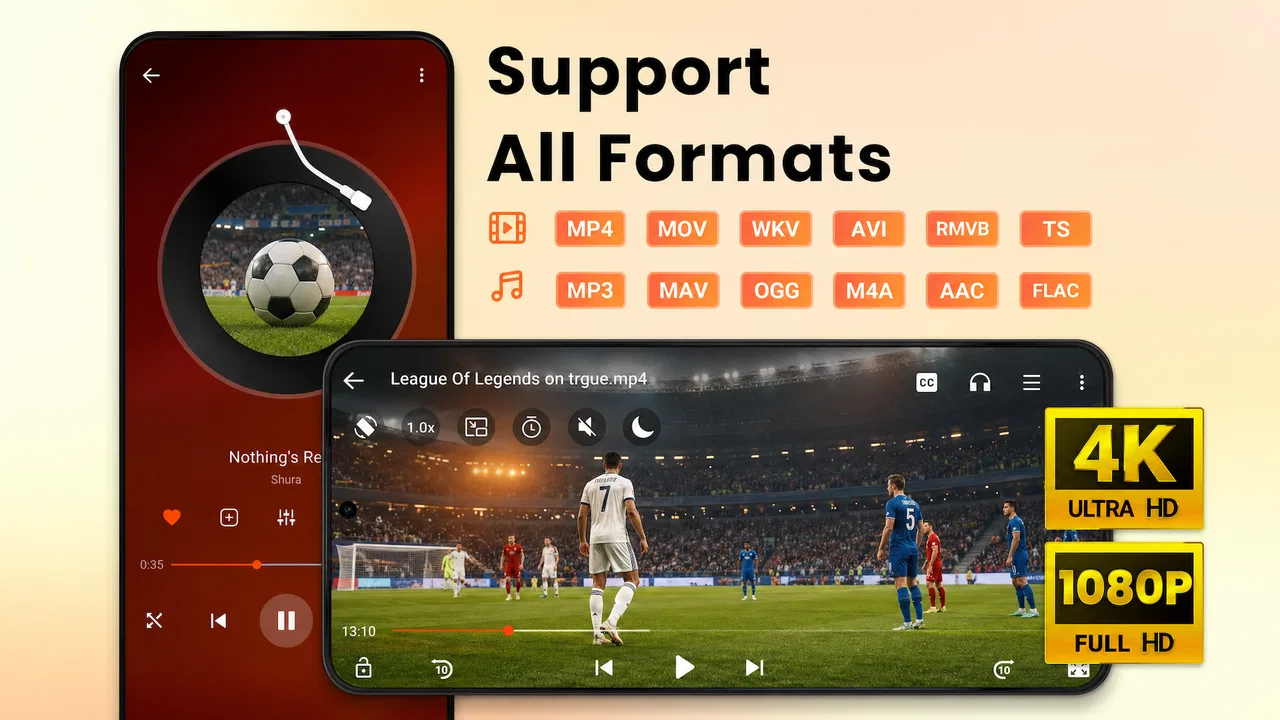
That focus makes it easy to understand. The app supports 4K and 1080p video, popup playback, background playback, and subtitles. Those features sound familiar, but their value depends on how often you move between tasks and screens. In my experience, this is most appealing when the phone is being used as a practical media device: watching a downloaded lesson, checking a recording, playing a personal video while replying to messages, or sending a file to a television.
The app is free to install and is suitable for Everyone. It has reached over 50 million installs, with a 4.5 average from around 144 thousand ratings and roughly 2.2 thousand written reviews. That level of adoption makes it easier to take seriously as an established player, although popularity alone does not tell me whether its controls fit my habits. I still look closely at what the app lets me control, what interruptions it creates, and whether its convenience is worth accepting any limitations.
You May Also Like

 Pandora - Music & Podcasts
Pandora’s Music Is Easy to Start, but Harder to Recover
Pandora’s strength is its low-effort path from a seed to a station. Its weak spot is how much confidence it asks you to place in connection, setup, and quiet recovery.

 8 Ball Pool
 Is Built on Rivalries, Rematches, and Routine
A close look at the rivalries, rematches, shared routines, and unanswered safety questions that turn a quick pool match into a persistent mobile community.

 Samsung Music
’s Quiet Strength Is Playing What You Already Own
Its reach comes less from spectacle than from dependable access to a personal library. That simplicity is both the app’s strongest retention engine and its ceiling.

 AccuWeather: Weather Radar
AccuWeather Review: A Quick, Clear Forecast for Everyday Decisions
For everyday plans, the best forecast is the one you can understand quickly. AccuWeather makes rain timing, radar, and local conditions easy to act on, with a few trade-offs.

 Hill Climb Racing
Why Hill Climb Racing Still Turns Crashes Into One More Run
A tiny car, a bumpy hill and one more upgrade: Hill Climb Racing keeps resurfacing because its simple chaos makes every near-miss feel personal.

 AliExpress - Shopping App
AliExpress Makes Global Shopping Feel Personal, but Shoppers Bear the Risk
AliExpress turns a global marketplace into a pocket-sized discovery engine. Its reach is useful, its shopping loop compelling, and its trade-offs easy to miss.
More From Our News Desk
View All News


What the player is really like in daily use
I find the app most useful when I treat it as a straightforward way to watch a file, then choose the viewing mode to suit what I’m doing. This section looks at how that routine feels in everyday situations and why a quick test with your own videos is more informative than relying on resolution labels alone. That practical baseline also makes it easier to decide which settings are worth checking next.
A straightforward role instead of an editing suite
The name can make the app sound broader than it is, so I would set expectations clearly: this is a playback tool, not a complete video editor. If you want to trim footage, add transitions, produce a social post, or arrange a project on a timeline, you should choose an editor built for that job. Video Player All Format HD makes more sense for opening and watching content than changing it.
That narrower role is actually useful. A dedicated player can be quicker to reach when the task is simply viewing a file. I would use it for videos stored on a phone, clips received from another device, recordings that need checking, or material that is more comfortable to watch on a television. The combination of popup and background playback also gives it a place in routines where the video is important but the screen is not always the only thing I need.
The current version is 2.4.3 and it runs on Android 6.0 or later. That broad compatibility is practical for people who keep an older phone as a media device or do not upgrade regularly. It also means the app is not restricted to only recent hardware by its stated minimum system requirement. Still, playback quality will depend on the phone, the file itself, and the way the video is being sent to another screen, so I would not treat support for a format or resolution as a promise of identical performance on every device.
Where the main features earn their place
The 4K and 1080p support is most meaningful when the original file has that quality and the display can show it. On a small phone, the difference may be less important than battery use, storage, or the viewing distance. On a large television, however, preserving a high-resolution file can make fine text and distant details easier to see. My practical advice is to match the file to the screen instead of choosing the highest resolution automatically.
Popup playback is one of the more useful features for multitasking. I can imagine starting a long video, shrinking it, and then opening notes or messages while keeping the picture visible. This is better than repeatedly pausing and reopening the player, especially for tutorials where I need to copy a setting or follow a short instruction. The trade-off is that a floating window occupies part of the display, so it is not a replacement for full-screen viewing when concentration matters.
Background playback serves a different purpose. It is helpful when the audio matters more than the picture, such as with a lecture, a recorded conversation, or a music-focused video. It can also reduce the temptation to keep the screen awake during a long session. I would not use it for content where visual timing is essential, because the feature changes the experience from watching to listening.
Subtitle support is important for accessibility, language learning, noisy rooms, and videos whose dialogue is difficult to hear. A useful workflow is to prepare the subtitle file before settling in: keep the video and its matching subtitle file together, then check the timing near the beginning. If the text is out of sync, the problem may be the subtitle itself rather than the player. This small check can save frustration later, particularly with downloaded material from different sources.
Casting changes the decision
The cast-to-TV focus gives the app a stronger identity than a basic local player. Watching a phone video on a television is convenient when the content is personal or stored locally, and it can be more comfortable for a group than passing a phone around. I would use this for family recordings, downloaded travel videos, or a presentation rehearsal in which I want to inspect how the material looks at a distance.
Casting also introduces more variables than playing on the phone. The phone, television, and network need to cooperate, and the result may feel less immediate than local playback. If your main requirement is a polished subscription service with a carefully managed catalog, profiles, recommendations, and synchronized viewing history, a specialist streaming app is likely a better fit. This player is more attractive when you already have the file and want a flexible way to display it.
Trust is mostly about visible choices
When I install a media player, I pay attention to the choices presented during setup and use. I want to know what the app asks me to allow, whether an account is necessary for the basic task, and whether optional prompts are clearly separated from playback controls. Video Player All Format HD is easiest to assess through those visible moments on the device: I would read each permission request, decline anything unrelated to the action I am taking, and revisit Android’s app settings if I change my mind.
I do not treat a large install count or a strong rating as proof that an app is risk-free. They show that many people have tried it, but they do not replace checking the permission screen and the controls available on my own phone. That is especially relevant for a player because personal videos can be sensitive even when the app’s job seems simple. I would avoid opening private material casually on a shared phone and would review the device’s access settings before using casting in a public space.
The developer is listed as Video Player & Cast to TV, which matches the app’s main purpose. I also appreciate that the basic product is free to install, because I can test whether the player handles my own files before deciding whether it belongs in my regular setup. At the same time, the app includes in-app purchases ranging from $9.99 to $16.99 per item. I would check the purchase screen carefully and make sure I understand what an optional payment changes before confirming it.
Small habits that make it easier to use
One useful habit is to test a representative file before moving a whole collection into the app. I would choose one high-resolution video, one file with subtitles, and one ordinary recording. That quick test answers more than a generic compatibility claim: it shows whether the files open comfortably on my phone, whether the subtitles are usable, and whether the picture remains practical when sent to a television.
A second habit is to separate viewing modes by purpose. I would use full screen for films and detailed demonstrations, popup mode for short instructional clips while taking notes, and background mode for audio-led material. Treating these as different workflows prevents the player from feeling inconsistent. Each mode solves a different problem, and switching deliberately is more effective than leaving everything in whichever state was used last.
A third tip concerns battery and heat. High-resolution playback, a bright display, and casting can all make a long session more demanding than a simple local video on a dim screen. I would lower brightness when the room allows it, keep the phone ventilated, and avoid assuming that a 4K file is automatically the best choice on a small display. This is not a criticism unique to the app; it is the practical cost of asking a mobile device to process and display more detail.
For subtitles, I would keep naming consistent between the video and the subtitle file and check a spoken line early in the playback. For casting, I would begin with a short clip rather than a long film, because it is easier to identify a connection or display problem before committing to a full viewing session. These are simple steps, but they make the app’s flexible features feel more dependable.
Who should choose it, and who should skip it
I would recommend this player to someone who wants one Android app for personal video playback, occasional television casting, subtitles, and multitasking. It is particularly suitable for people who keep videos on their device instead of relying entirely on streaming services. The older Android support is another practical advantage for users with compatible phones that are no longer running the newest system.
I would be more cautious about recommending it to someone who wants a highly curated entertainment platform. If your priority is discovering licensed content, maintaining several viewer profiles, syncing progress across many devices, or managing a cloud library, a streaming service or a media-center solution will probably feel more complete. I would also point an editor toward a dedicated editing app, because playback features do not replace cutting and production tools.
People who are especially sensitive to optional purchases should inspect the payment prompts before using the app regularly. The free entry point is helpful, but the presence of paid items means I would not tap through a promotional screen automatically. I prefer to decide after testing the player with my own files, then use the device’s purchase controls to keep that decision deliberate.
My cautious verdict
After looking at the app as a practical viewer rather than a feature checklist, I see a clear strength: it brings several useful viewing situations together without pretending to be an editor or a streaming catalog. High-resolution playback, subtitles, popup viewing, background audio, and casting cover a good range of real routines. The best match is someone who moves between local files, phone viewing, and the television.
Its limitations are equally important. Casting is naturally more dependent on the surrounding devices than local playback, high-resolution files can demand more from a phone, and optional in-app purchases deserve a careful look. The app also cannot replace specialist software when the real need is editing, cloud synchronization, or a managed entertainment library.
For me, the sensible approach is to install it as a focused player, test a few typical files, review the visible permission and purchase choices, and keep the mode matched to the task. With that mindset, Video Player All Format HD is a useful free option for Android users who want flexible playback and television viewing. I would recommend it to a friend who values convenience with local videos, while still advising them to make their own permission and payment choices rather than assuming that a popular app needs no scrutiny.
FAQs for Video Player All Format HD
01What video formats does Video Player All Format HD support?
Video Player All Format HD supports a wide array of video formats including MP4, AVI, MKV, FLV, and more. This versatility ensures that users can play almost any video file without needing additional software or converters, making it a convenient choice for those with diverse media collections.
02Is Video Player All Format HD available for both Android and iOS?
Yes, Video Player All Format HD is available for download on both Android and iOS platforms. This cross-platform availability means users can enjoy their favorite videos seamlessly whether they are using an Android smartphone or an iOS device, enhancing the app’s accessibility.
03Does the app offer subtitle support?
Yes, Video Player All Format HD offers robust subtitle support. Users can load external subtitle files in various formats, such as SRT and SUB. The app also provides options for adjusting subtitle synchronization and appearance, ensuring a more personalized viewing experience.
04Are there any in-app purchases or ads in Video Player All Format HD?
While Video Player All Format HD is free to download, it does contain ads. Users have the option to remove ads through in-app purchases. This freemium model allows users to enjoy the app for free while offering the choice to enhance their experience by purchasing additional features.
05What makes Video Player All Format HD stand out from other video players?
Video Player All Format HD stands out due to its extensive format support, intuitive user interface, and additional features like subtitle management and gesture controls. These features, combined with a smooth playback experience, make it a preferred choice for users seeking a comprehensive video player.
Pros
- Supports a wide range of video formats.
- User-friendly interface with intuitive controls.
- High-definition playback with minimal lag.
- Customizable playback settings for better control.
- Supports subtitle files for multiple languages.
Cons
- Contains ads that can interrupt viewing.
- Some advanced features are paid.
- Occasional crashes on low-end devices.
- Limited support for audio-only files.
- Updates can be infrequent and buggy.

Video Player All Format HD
Gallery